How to Maintain Your Network Cabling for Long-Term Performance
Network performance problems often get blamed on switches, internet providers, or aging hardware. In many cases, the real issue is much quieter. It sits above ceiling tiles, inside conduits, behind patch panels, and under floors. Good network cabling can run for years with little trouble, but only if it is installed properly and maintained with some discipline.
That matters more than many teams realize. A structured cabling system is one of the few parts of an IT environment that is supposed to outlast several generations of active equipment. Switches come and go. Access points get upgraded. Phones disappear, then video devices take their place. The cable plant stays. If it degrades, every future change becomes harder, slower, and more expensive.
I have seen businesses replace perfectly good network switches because users were complaining about slow file transfers, dropped VoIP calls, or random disconnects, only to discover the real problem was poor cable handling, bad terminations, or years of undocumented changes. A cable run that was bent too sharply during a rushed office remodel can create intermittent faults that are maddening to trace. A patch panel that was never labeled properly turns every simple move into a scavenger hunt. A bundle of low voltage cabling tied too tightly can slowly damage pairs and compromise performance.
Maintaining network cabling is less about heroics and more about standards, observation, and restraint. The goal is not just to keep links up today. It is to preserve signal quality, physical integrity, and serviceability over the long term.
The hidden lifespan of a cabling system
A well-designed data cabling system can remain useful for 10 to 15 years, sometimes longer, depending on the environment and the original specification. That is especially true for structured cabling built around CAT6 cabling or CAT6A cabling in commercial spaces where bandwidth needs are likely to grow. But that lifespan assumes something important: the cable plant is treated like infrastructure, not like a disposable accessory.

That distinction changes behavior. When a team sees ethernet cabling as cheap material that can simply be rerun later, maintenance gets ignored. Cables get yanked instead of released, patch cords get draped over power supplies, and temporary fixes become permanent. Over time, those habits show up as packet loss, speed negotiation issues, failed PoE delivery, and harder troubleshooting.
A proper business network installation should leave room for future service loops, clear labeling, cable pathways that avoid stress, and enough access for technicians to inspect and test runs without dismantling half the ceiling. Office network cabling in particular tends to suffer from constant churn. Employees move desks. Departments expand. Conference rooms get reconfigured. Every one of those changes can be harmless or damaging, depending on how carefully the cabling is handled.
What usually causes cabling to decline
Network cable does not typically fail all at once unless it is cut, crushed, or exposed to severe environmental damage. More often, performance erodes gradually. The decline may start with a single pair becoming unstable under load, or with increased crosstalk after a bundle was compressed too tightly. In copper systems, especially CAT6 and CAT6A links used for higher-speed applications, installation quality and physical handling matter a great deal.
One common problem is excessive bend radius. Twisted-pair cable is designed to preserve pair geometry. Bend it too sharply around corners, force it into an overfilled raceway, or cinch it tightly with zip ties, and you can distort that geometry enough https://fontanatechpros.com/network-cabling-napa-ca-3/ to affect performance. It may still pass traffic, but margins shrink. Then one day a link that looked fine at 1 Gb starts struggling when a new switch negotiates a higher standard or when a PoE load increases.
Heat is another quiet enemy. Cables routed above hot equipment, near lighting ballasts, or through poorly ventilated spaces can age faster. In environments with larger PoE deployments, bundle size and heat dissipation matter even more. Mechanical stress is equally damaging. Repeated movement at patch panel terminations, dangling patch cords without support, and cabinet doors pinching cables are all problems I have encountered more than once.
Then there is the human factor. Moves, adds, and changes done in a hurry account for a surprising amount of cabling trouble. An office expansion may begin with a neat, tested network cabling installation. Five years later, after three telecom vendors, two security contractors, and one rushed furniture project, the same closet can become a tangle of undocumented patching and mystery runs. The original cable may still be fine, but the system around it is no longer manageable.
Maintenance starts with visibility
If you cannot identify what is installed, where it runs, and what it serves, you do not really have a maintainable system. You have a collection of cables.
Documentation is not glamorous, but it is the foundation of long-term performance. Every cable plant should have basic records that are easy to update and easy to trust. That means floor plans with outlet locations, rack elevations, patch panel maps, naming conventions, test results from the original network cabling installation, and notes on changes. Even a small office benefits from this. In a larger building, it is indispensable.
Labeling deserves more respect than it gets. Good labels save time during every service event and reduce the odds of accidental disruption. Poor labels do the opposite. I have worked in closets where half the ports were tagged with old room numbers from a previous tenant, and the rest were marked by hand with abbreviations that meant different things to different technicians. That kind of confusion turns routine maintenance into risk.
A solid labeling approach usually includes these elements:
- a consistent identifier for each horizontal cable run
- matching labels at the outlet, patch panel, and documentation set
- readable, durable label materials suited to the environment
- updated records whenever patching or endpoint assignments change
- clear separation between permanent cabling labels and temporary service notes
That list may seem basic, but it prevents a lot of self-inflicted outages. Good labeling also makes testing more practical, because the technician can verify the right run without guesswork.
Treat patching areas as high-wear zones
Permanent horizontal cabling behind walls and ceilings often stays stable for years. Patch areas do not. Telecommunications rooms, IDFs, server racks, workstation drops, and open office consolidation points experience constant contact. If you want long-term performance from your structured cabling, start by maintaining the places that get touched the most.
Patch cords are consumables. They are bent, moved, unplugged, stepped on, rerouted, and occasionally forced into ports they should never have been connected to. Yet many organizations leave them in place indefinitely, even after clips break or jackets get visibly damaged. Replacing worn patch cords is one of the cheapest ways to avoid recurring link problems.
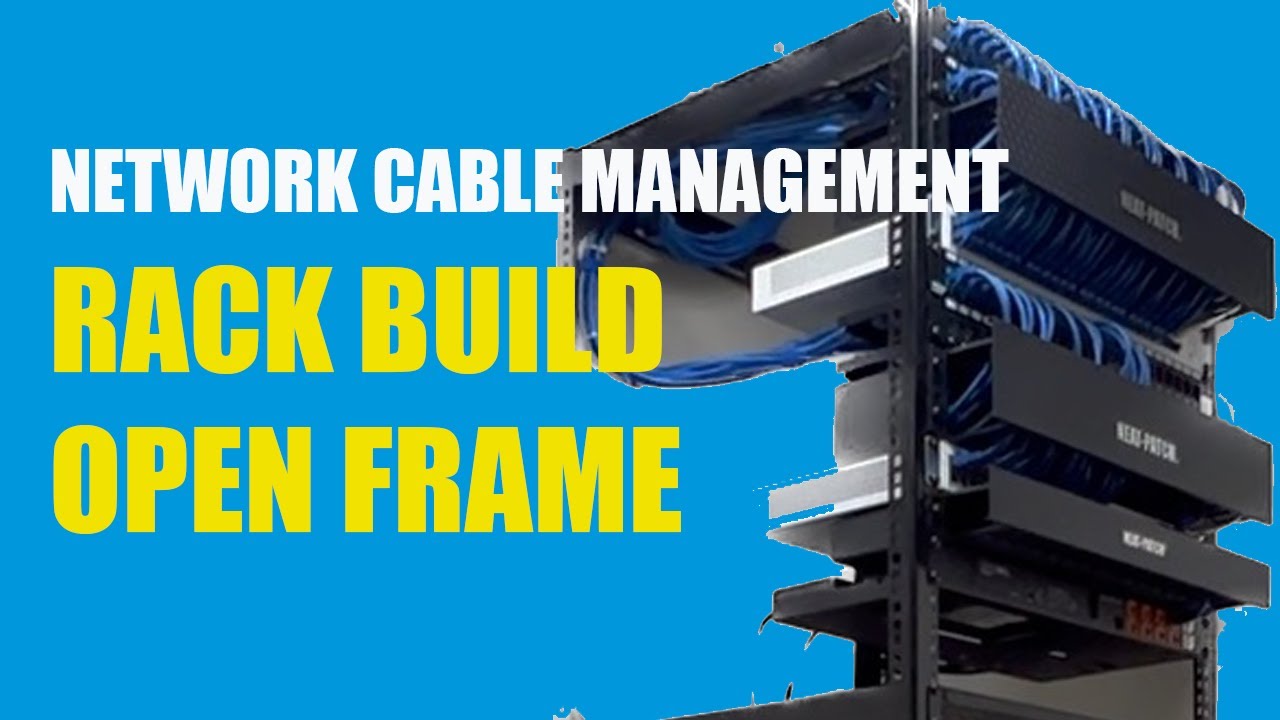
Cable management hardware matters here too. Horizontal and vertical managers are not decorative. They control bend radius, reduce strain on ports, and make future work safer. Without them, cords sag, pull against jacks, and block airflow. Over time, the result is an untidy rack that becomes harder to service correctly. That is often the turning point when technicians start making expedient decisions rather than good ones.
In one office I visited, intermittent disconnects on several desks were traced to a patch panel that had no strain relief and a bundle of cords pulling sideways on the rear terminations. The cable runs themselves tested fine after retermination, but the physical stress had loosened consistency at the panel. The issue had been misdiagnosed for months as a switching problem. The lesson was simple: poor physical support can mimic logical faults.
Environmental conditions matter more than people expect
Cabling performance is shaped by the spaces it lives in. Dust, moisture, vibration, and temperature swings all affect reliability, especially over long periods. This is true in data centers, warehouses, manufacturing floors, health care environments, and ordinary office spaces.
Ceiling spaces often become informal pathways for all sorts of building work. Electricians, HVAC technicians, security installers, and fire suppression crews may all need access. If your low voltage cabling is not secured properly, it can be displaced, crushed, or rerouted by unrelated maintenance. I have seen data cabling resting on ceiling grid rails after other trades shifted it out of the way and never put it back correctly. It worked for a while, until one section sagged near a light fixture and heat exposure started causing trouble.
Moisture is another concern. Even minor roof leaks or condensation near poorly insulated ductwork can compromise cable jackets and terminations over time. Corrosion at connection points is not common in standard office conditions, but when it appears, it creates exactly the kind of intermittent fault that wastes hours.
Industrial and light manufacturing sites add vibration, airborne contaminants, and sometimes electromagnetic interference into the mix. In those environments, cable pathways and enclosure protection need more attention, and inspection intervals should be shorter. What works in a quiet office may not hold up near machinery, loading bays, or high-traffic utility spaces.
Why testing should not stop after installation
A lot of organizations test cabling once, file the certification report, and never look at it again unless something breaks. That is understandable, but not ideal. Long-term performance improves when testing is treated as a maintenance tool, not just a handoff requirement.
You do not need to recertify every cable on a rigid schedule in every environment. That would be excessive for many sites. But targeted testing has real value. If a department reports recurring slowness, test the suspect links instead of assuming the active gear is to blame. If a renovation affected pathways, sample-test the runs in that area. If a business is preparing for higher-speed uplinks or wider PoE deployment, validate that the installed CAT6 cabling or CAT6A cabling can support those demands under current conditions.
Basic continuity testers are useful for simple checks, but they do not replace certification or qualification tools when performance is in question. A cable can light up correctly on a basic tester and still fail to deliver stable throughput because of return loss, crosstalk, or pair-related issues. That difference matters. I have seen technicians waste days swapping endpoints on links that looked fine at a glance but had marginal performance under proper test equipment.
Testing records should also be preserved and compared over time where possible. If a run that once had comfortable margin is now barely passing, that is a clue. It may point to physical damage, environmental stress, or unauthorized changes.
The small handling habits that prevent expensive problems
Most cable damage does not come from rare disasters. It comes from ordinary carelessness repeated over time. Teams that maintain their cabling well usually share a few simple habits. They do not over-tighten cable ties. They avoid hanging unsupported bundles from individual cables. They respect fill capacity in trays and conduits. They do not leave excess cable coiled tightly in cramped spaces. And when they need to add services, they make room properly instead of forcing one more run into an already stressed pathway.
These points are worth reinforcing during any office network cabling project because maintenance begins the moment installation ends. A rushed add-on can undermine a neat system in one afternoon.
Here are some of the most useful field practices for preserving cable health:
- use hook-and-loop fasteners where possible instead of tight plastic ties
- support cable bundles evenly so their own weight does not create long-term strain
- keep data cabling separated appropriately from electrical sources and noise-generating equipment
- maintain proper bend radius at turns, entries, and patching points
- replace damaged jacks, cords, and faceplates before they create intermittent faults
None of this is complicated, but it requires consistency. The best-maintained cable plants I have seen were not necessarily the newest. They were the ones where every contractor and in-house technician followed the same handling standard.
Planning for upgrades before performance suffers
Maintenance is not only about preserving what exists. It is also about recognizing when the existing design no longer matches the business. A network that was fine for desktop PCs and VoIP handsets may be under pressure once it supports wireless access points, security cameras, video conferencing, digital signage, and denser PoE devices. The cable itself might still work, but the margin for error shrinks.
This is where foresight pays off. If a site has older data cabling and is planning a refresh, it is wise to assess current pathways, spare capacity, and cable categories before buying active equipment. A business network installation should be planned around likely demand for the next several years, not just current traffic. In many commercial settings, CAT6A cabling is chosen not because it is always necessary today, but because it reduces the chances of reopening ceilings later.
There are trade-offs, of course. CAT6A is thicker, less forgiving in tight spaces, and can make pathway management more demanding. It also costs more to install properly. But when high PoE loads, longer useful life, or higher-speed ambitions are part of the picture, those trade-offs can be justified. The right answer depends on building layout, environmental conditions, application mix, and budget.
What matters from a maintenance perspective is honesty. If the cabling plant is near its practical limit, no amount of patch-cord replacement will turn it into something it is not. At that point, maintaining performance may mean scheduling phased upgrades rather than squeezing one more year out of a strained system.
Know when to repair and when to replace
A single damaged drop can often be reterminated or rerun with minimal disruption. A damaged patch panel section may be salvageable. But if recurring issues appear across a floor, or if years of undocumented changes have compromised pathway organization and panel integrity, localized repairs can become false economy.
I generally look at three factors. First, how widespread are the issues? Second, can the system still be supported safely and predictably? Third, does the existing cabling align with foreseeable network needs? If the answer to two or three of those questions is no, replacement starts to make more sense.
That is especially true in older office network cabling environments where multiple generations of contractors have layered fixes on top of fixes. At some point, the labor spent tracing, testing, and nursing along marginal runs exceeds the cost of doing the work properly. A clean, standards-based structured cabling refresh often reduces support calls enough to justify itself faster than expected.
Maintenance is a discipline, not a rescue plan
The organizations that get the best long-term value from their network cabling are rarely the ones with the biggest budgets. More often, they are the ones with the best habits. They document changes. They inspect closets before they become chaotic. They replace worn components early. They protect cable pathways during renovations. They treat low voltage cabling as infrastructure with a service life worth preserving.
That approach pays off in ways users never see directly. Fewer intermittent outages. Faster troubleshooting. Cleaner upgrades. Better confidence in every move, add, and change. When the cabling layer is healthy, the whole network feels easier to manage.
A reliable cable plant does not stay reliable by accident. It stays reliable because someone decided that maintenance was part of the installation, not something postponed until performance dropped. For businesses that depend on stable connectivity every day, that distinction is where long-term performance really begins.
Fontana Tech Pros provides professional network cabling installation, structured cabling, fiber optic installation, commercial WiFi, access control, security camera installation, alarm systems, and phone system solutions for businesses throughout Southern California. Learn more at https://fontanatechpros.com/.
Fontana Tech Pros specializes in reliable network cabling solutions for commercial offices, warehouses, schools, and industrial facilities. Our experienced team delivers high-quality structured cabling and low-voltage installations designed for long-term performance.